

Key takeaways#
- A recruiter's first pass is fast. Tufts University's Career Center cites research that a recruiter initially spends 6-8 seconds on a resume, so the top third of the page has to do real work.
- Use a simple, single-column, reverse-chronological layout unless you have a specific reason not to. Both recruiters and tracking software handle it best.
- Write bullets as action verb + task + result, and put numbers in wherever you honestly can.
- Tailor each application to the job description. Use the employer's own wording for skills you genuinely have.
- Keep it to one page if you are early in your career and two if your experience earns it. Proofread, then save as a PDF unless the application says otherwise.
What a resume is actually for#
A resume is a marketing document, not an autobiography. Northwestern's career office describes it as an overview of your education, experiences and skills that you use to market your strengths to employers. Its first piece of advice is to read job descriptions that interest you before you write, so you know which skills employers value.
That framing changes how you write. You are not recording everything you have ever done. You are choosing the evidence that best supports one claim: "I can do this job."
Step 1: Collect your raw material#
Before you open a template, list everything in one messy document:
- Every job, internship, freelance project, volunteer role and student organisation, with dates.
- What you did, how you did it and what changed because of it.
- Tools, languages, certifications and software you used.
- Numbers: team size, customers served, revenue, time saved, volume handled.
Northwestern suggests including volunteer positions and student-organisation roles along with jobs. UC San Diego's career center says unpaid or volunteer work can sit in the experience section too. Your master list can be long. The finished resume will use a fraction of it.
Step 2: Choose a format#
There are three common formats. For most people the choice is easy.
| Format | Leads with | Best for | Watch out for |
|---|---|---|---|
| Reverse-chronological | Work history, newest first | Most job seekers with a steady path | Gaps and frequent job changes are visible |
| Functional | Skill groups, brief history at the end | Career changers, people with gaps (in theory) | Employers can find it harder to follow; some see it as incomplete |
| Combination | Skills summary, then history | Experienced people targeting a different role | Can run long |
Indeed's career advice describes chronological as the more traditional format, preferred by many candidates and employers, and notes that some employers may see functional resumes as disorganised or incomplete. The University of Texas at Austin's College of Natural Sciences career services goes further for ATS purposes: it recommends sticking to the chronological format because, in its words, both ATS and recruiters work better with experience organised chronologically.
Rule of thumb: use reverse-chronological. If you are changing fields, keep that layout and fix the problem with a targeted summary and a "Relevant experience" section instead.
Step 3: Set up a clean document#
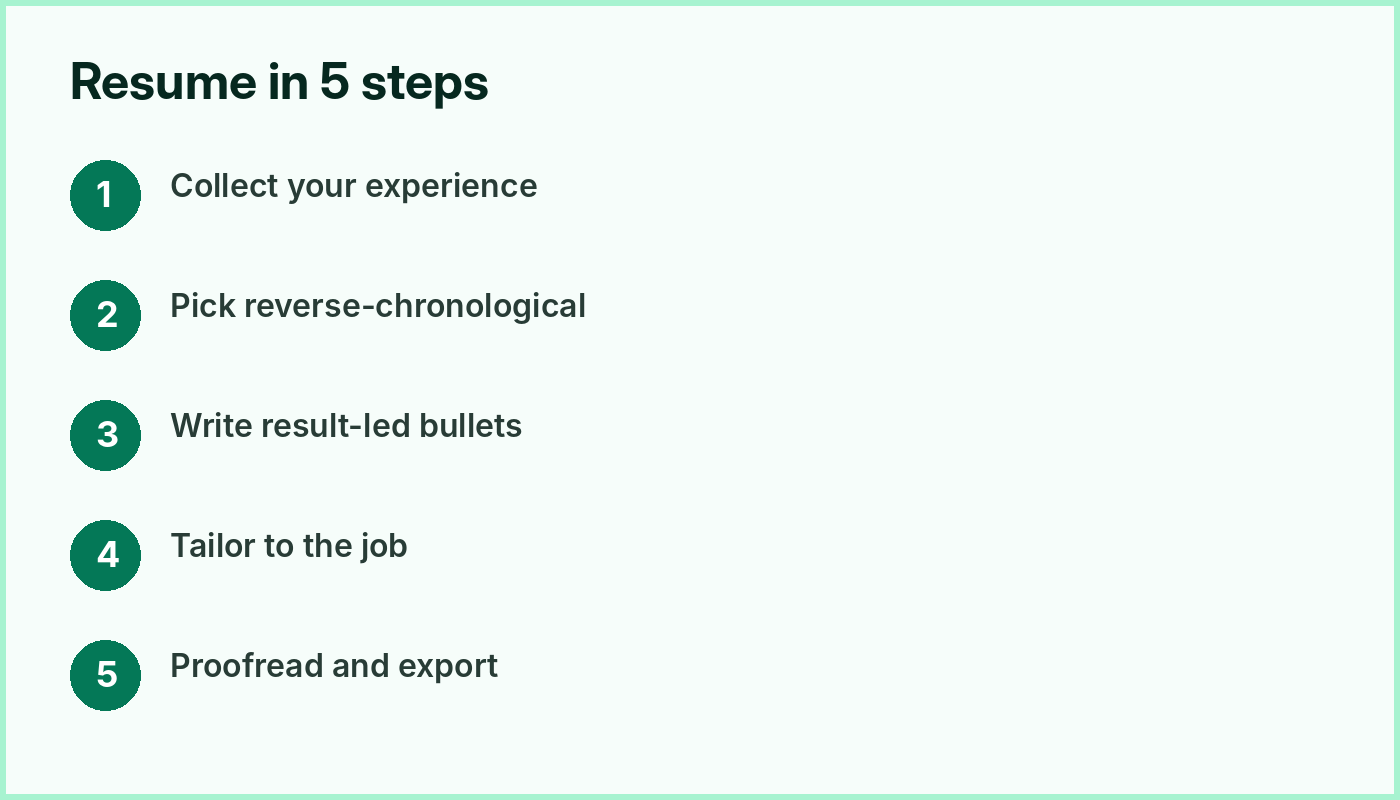
Formatting rules from the career centers we read were remarkably consistent:
- Font size: 10-12 point for body text; a larger size (Northwestern suggests 14-24 point) for your name.
- Fonts: common, readable fonts such as Arial, Calibri, Garamond, Helvetica or Times New Roman (Northwestern's list).
- Margins: 0.5 to 1 inch on all sides (Northwestern; the University of Virginia says the same).
- Alignment: left-aligned, not justified.
- Consistency: UC San Diego stresses that you do not have to follow one specific format, but you must stay consistent. If dates sit on the right in one section, keep them there throughout; if you bold one job title, bold them all.
- No photos or graphics. UVA and UC San Diego both warn against images and columns.
Northwestern also advises against heavily designed templates, saying they are overused, hard to customise and often do not upload correctly to employers' application portals. Write in a word processor, then export to PDF.
Step 4: Write the header#
Put your name at the top, then a phone number, a professional email address and your city or region. Add a LinkedIn profile, portfolio or GitHub link if relevant. The University of Virginia advises against putting key contact details only in the document header or footer, because many tracking systems cannot read those areas. Keep them in the main body of the page.
Step 5: Add a short summary (or skip it)#
A summary is two to four lines that tell the reader who you are and why you fit this role. UC San Diego describes it as a short overview of 2-4 lines and suggests adding words from the job description and revisiting it for each application.
Template:
[Job title or field] with [number] years of experience in [two or three relevant areas]. Known for [specific strength]. Looking to [what you want to do] at [type of company].
Example for a marketing role:
Content marketer with four years of experience in B2B SaaS, covering SEO, email and landing-page copy. Grew a company blog from a standing start to a consistent publishing cadence. Seeking a content lead role at a remote-first software company.
Only include claims you can back up lower down the page. If you have little work experience, a short objective that highlights your education or training can work better than a summary. Choose one or the other, not both.
Step 6: Write bullets that show results#
This is where most resumes win or lose. A bullet that lists a duty ("Responsible for customer emails") says almost nothing. A bullet that shows an outcome gives the reader something to remember.
Northwestern gives a simple formula:
Action verb (skill) + task (what) + purpose or result (why or impact)
Compare:
| Weak | Stronger |
|---|---|
| Responsible for social media | Scheduled and published 5 posts a week across three channels, keeping the content calendar on time for a full quarter |
| Helped customers | Resolved customer tickets by email and chat, escalating complex cases to the technical team |
| Worked on website | Rebuilt the pricing page layout so visitors could compare plans side by side |
Notes on writing them:
- Start with an active verb. UC San Diego recommends varying skills-based verbs ("Researched", "Presented") and avoiding passive phrases like "Responsible for" or "In charge of".
- Use present tense for current roles and past tense for previous ones. The University of Cincinnati's guide gives the same rule.
- Skip pronouns and full sentences. Northwestern and Cincinnati both say to avoid "I", "my" and "we".
- Aim for 2-5 bullets per role. Northwestern says 2-5; UC San Diego says 3-5 on average, with more space for the most relevant jobs.
- Use numerals. Northwestern suggests writing 30% rather than "thirty percent" so numbers stand out.
- Put the key point first. Tufts notes that recruiters tend to read only the first few words of each bullet, so lead with what matters.
Numbers without making them up#
Numbers add credibility, but only if they are true. UC San Diego points out that an approximate figure is fine when you do not have an exact count: phrases like "weekly", "approximately 50" or "over 75" still give scale. If you genuinely cannot measure something, describe the scope instead: how many people, how often, how complex.
Questions that help you find numbers:
- How many people did I serve, train or manage?
- How often did I do this (daily, weekly, per project)?
- What got faster, cheaper, bigger or more accurate?
- What was the size of the budget, audience or dataset?
Step 7: Choose and order your sections#
Case Western's Center for Career Success lists the sections a resume typically needs: a heading with contact information, an objective or skills summary, education and experience. It adds optional ones such as coursework, honors and awards, skills, leadership, community service and interests.
Order by relevance. UC San Diego says recruiters skim top to bottom, so do not leave your best material for the last few lines. For most students, education goes after the summary and before experience; for people with several years of work behind them, experience usually comes first.
A typical layout for an experienced candidate:
- Header
- Summary
- Experience (reverse chronological)
- Skills
- Education and certifications
- Optional: projects, languages, volunteering
Skills section#
Keep it specific. UC San Diego recommends listing job-relevant technical skills first and being precise with soft skills: "public speaking" or "persuasive writing" rather than a vague "communication". Skill-level bars or dots tell the reader little that is concrete, so skip them. Show the skill in your bullets as well, not just in a list. The University of Virginia notes that important keywords work better integrated into bullets than only listed in a skills block.
Step 8: Tailor it to each job#
Tailoring is the highest-value hour you will spend. The University of Texas at Austin's career services puts it plainly: tailoring your resume to each position is the best way to make sure it gets seen by recruiters.
A quick method:
- Paste the job description into a document and highlight the skills, tools and responsibilities mentioned more than once.
- Match each highlighted item to something real in your experience.
- Reword your summary and the top bullets of your most recent roles using the employer's phrasing, where it is truthful.
- Move the most relevant experience higher.
- Save the result as a new version (for example
resume-company-role.pdf) and keep your master copy untouched.
UT Austin recommends saving your master resume as a new document each time you apply. The University of Maryland adds that you can use both the long form and the acronym of a keyword, such as "User Experience (UX)", for maximum searchability.
Do not claim skills you do not have. The goal is to make real experience easy to match, not to game the screening.
Step 9: Make it work with applicant tracking systems#
Many employers use an applicant tracking system (ATS) to collect and sort applications. UT Austin describes it as software that collects, ranks, sorts and reviews resumes before a recruiter or hiring manager does, comparing your resume with the job description. The University of Virginia says some ATS automatically score a resume on how well it matches the posting, and recruiters can also search the database by keyword.
What the career centers recommend:
| Do | Avoid |
|---|---|
| Single column, left-aligned text | Columns, tables and text boxes (UVA, UMD, UT Austin) |
| Standard headings: Experience, Education, Skills | Creative headings such as "What I've done" (UVA, UMD) |
| Contact details in the page body | Key details only in the header or footer (UVA, UMD) |
| Common fonts, simple round or square bullets | Images, logos, graphics (UVA, UC San Diego) |
| Keywords from the posting, used in context | Pasting a block of keywords with no evidence |
| PDF or .docx, following the instructions on the application | Uploading a file type the portal does not accept |
| Filling in every field of the online form | Skipping fields because you uploaded a resume |
On file types, the sources differ slightly, which is a reason to read each application's instructions. UVA says PDFs, .doc and .docx are fine for most submissions, and PDFs are more likely to keep formatting. UMD suggests .docx if possible and says PDF is relatively okay. UVA also notes that ATS uses online application fields too, so complete every field.
Maryland also mentions that some systems cannot read past horizontal lines, so consider removing them.
Step 10: Decide on length#
There is no universal rule, but the university career centers we checked agree on a pattern:
| Situation | Typical length | Source |
|---|---|---|
| Undergraduate student | 1 page | Northwestern |
| Graduate student | 2 pages | Northwestern |
| Substantial or specialised experience | 1-2 pages | Case Western |
| Most students | A thorough one-page resume is usually achievable | Case Western |
Case Western's advice is worth remembering: length depends on your experience, and if you have a substantial work history you should not sell yourself short, as long as everything on the page is strong and relevant. A dense two pages of relevant, recent work beats a thin page padded with filler, and a padded two pages loses to a tight one.
Step 11: Proofread and test#
Typos are a quick way to lose credibility. University of Cincinnati's guide includes a review checklist covering length, a bold name at the top, readable contact information, bullets that start with action verbs, no personal pronouns and no spelling, punctuation or grammar errors.
Extra checks:
- Read it aloud, or have a friend read it cold.
- Print it or view it at 100% on a phone; check that nothing shifts.
- Copy the text into a plain text editor. If it comes out jumbled, an ATS may struggle with it too.
- Check that dates, titles and company names are consistent and correct.
- Ask someone in your target field if the first third of page one shows why you fit.
What recruiters actually look at#
It helps to design for the real reading pattern. According to HR Dive's report on the Ladders 2018 eye-tracking study, recruiters skimmed resumes for an average of 7.4 seconds on the initial screen, up from about six seconds in the 2012 study. The resumes that held attention had simple layouts with clear sections and headings, and used bold titles and bulleted accomplishments. Cluttered layouts, lack of white space, multiple columns and long sentences did poorly.
Tufts' Career Center describes a two-stage skim: a very quick first look for things like school, major and GPA (for student applicants), then 30-60 seconds on experience, activities, leadership and languages. Tufts adds that recruiters often work across 15-25 open roles at once and may see 300-500 or more resumes per job. Treat these as the career center's description of campus recruiting rather than a rule for every employer, but the lesson holds everywhere: make the first few lines obvious.
Resume checklist#
- To do: Reverse-chronological, single column, one or two pages
- To do: Name and contact details in the body of the page
- To do: Short summary tailored to this job (or a clear objective if you are early in your career)
- To do: Every bullet starts with an action verb and shows a result or scope
- To do: Numbers are accurate and use numerals
- To do: Keywords from the posting appear in context, not just in a list
- To do: Standard section headings
- To do: Consistent dates, fonts, spacing and bold/italics
- To do: No photo, graphics, text boxes or tables
- To do: Zero spelling, grammar or tense errors
- To do: Saved with a clear filename in the file type the employer asks for
Common mistakes to fix#
- A generic resume sent everywhere. Tailoring matters more than design.
- Duty lists instead of results. Replace "Responsible for" with what you did and what happened.
- Over-designed templates. They break in portals and in ATS parsing.
- Vague skills. "Communication" says less than "wrote weekly client reports".
- Cramming. Cut old or irrelevant roles to keep the best material visible.
- Inconsistent formatting. UC San Diego warns that disorganised layout can hide even strong experience.
Using your resume on Onlano#
Once the resume is ready, put it to work. (New to the platform? Read Meet Onlano.) At the time of writing, Onlano's job listings can be filtered by category, country, salary, work mode, job type and company, and the site offers easy apply with a saved profile and CV. Use the filters to find roles close to your target, then adapt your resume's summary and top bullets to each description before you apply.
In this guide series#
This guide is the overview. Each of the following posts goes deeper on one topic. More are on the way.
- More guides in this series are coming soon.
Frequently asked questions#
How far back should my resume go?#
Indeed describes a chronological resume as typically covering up to a combined 10-year period. Older roles can be shortened to a line or dropped if they are not relevant, but this varies by field and seniority.
Should I include a photo or personal details?#
No photo is the safer default. UVA and UC San Diego both advise leaving out images and graphics because they can confuse ATS and clutter the layout. Practices differ by country, so follow local norms and the employer's instructions.
Is a resume summary or an objective better?#
A summary works best when you have relevant experience to condense; an objective can suit someone with more training than work history. Use one, not both.
Do I need a different resume for every job?#
Not a completely new one. Keep a master version and adjust the summary, top bullets and keywords for each application, as UT Austin recommends.
Is a PDF or Word file better?#
It depends on the application. Read the upload instructions first. UVA says PDFs keep formatting well and are accepted by most systems; UMD suggests .docx when possible.
Sources#
- How a Recruiter Reviews Your Resume, Tufts University Career Center
- Eye tracking study shows recruiters look at resumes for 7 seconds, HR Dive
- Resume Writing, Northwestern Career Advancement
- Resume Format, Case Western Reserve University Center for Career Success
- Chronological vs Functional Resumes, Indeed Career Advice
- Navigating Applicant Tracking Systems, University of Virginia Career Center
- Resume How-To Guide, University of Maryland Career Center
- Applicant Tracking Systems, UT Austin CNS Career Services
- Resume guide, UC San Diego Career Center
- How to Write a Resume, University of Cincinnati
About the author. Onlano Editorial writes practical career and hiring guides for job seekers and employers on Onlano. Figures and advice above are attributed to the sources listed; check each employer's own instructions before you apply.